MealBake WordPress Plugin

Publish AI-Assisted Recipes Straight to Your WordPress Blog

Send recipes from MealBake into WP Recipe Maker, Tasty Recipes, or standard WordPress posts without copying ingredients, instructions, images, and SEO fields by hand.

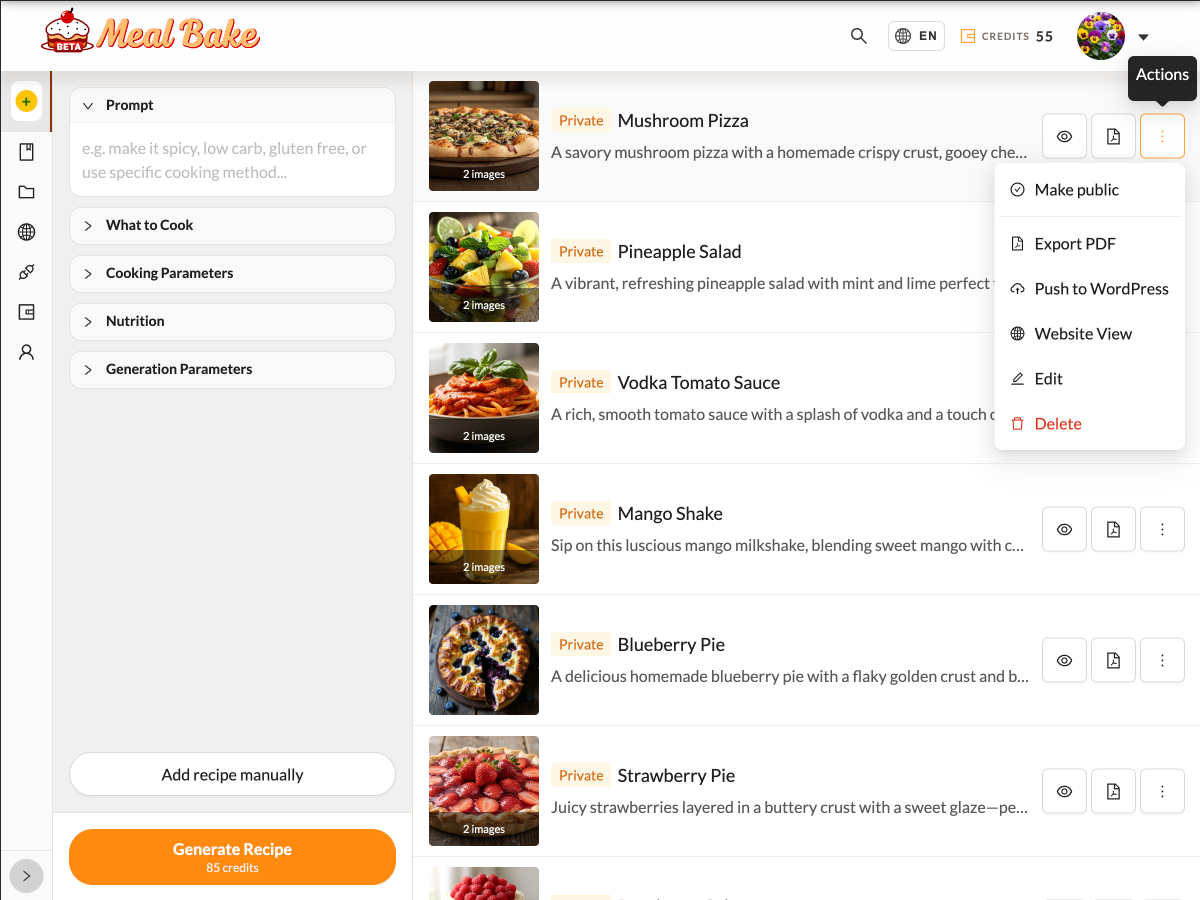
MealBake recipe actions menu showing the Push to WordPress option.

What is MealBake?

MealBake is an AI-assisted recipe publishing platform for food bloggers. You can bring your own recipes, create new drafts, generate variations, translate content, and prepare SEO metadata in one workspace.

The WordPress plugin is the bridge between MealBake and your site. It lets you keep using your existing WordPress recipe stack while moving finished recipes from MealBake into your publishing workflow.

Stop rebuilding the same recipe twice

Without the plugin

A typical WordPress food blog workflow means moving every recipe piece by hand — ingredients, instructions, images, SEO fields — one block at a time.

  • Copy ingredients and instructions from your recipe draft.
  • Paste everything block by block into WP Recipe Maker or Tasty Recipes.
  • Upload images separately and attach them again.
  • Recheck formatting before your draft is ready.
With MealBake

Choose Push to WordPress from your recipe actions menu. MealBake sends your recipe content, images, and structure directly to the destination your site already uses.

A WordPress recipe plugin built for your existing stack

MealBake publishes to the recipe setup you already trust, so you do not have to rebuild your food blog around a new tool.

WP Recipe Maker

If WP Recipe Maker is your recipe plugin, MealBake creates structured recipe cards with ingredients, instructions, notes, and images ready to edit or publish.

Tasty Recipes

Using Tasty Recipes? MealBake detects your recipe stack and publishes into the right Tasty Recipes destination automatically.

Standard WordPress Post

No recipe plugin installed? MealBake creates a formatted draft post with your recipe content and featured image, ready for your final edits.

MealBake auto-detects which recipe plugin is active on your site. You do not configure destinations manually.

Set up WordPress food blog automation in about 2 minutes

Install the free plugin once, connect your site, then use Push to WordPress whenever a recipe is ready.

1

Download and install

Download the ZIP package and install it from the WordPress Plugins screen on your site.

2

Activate MealBake

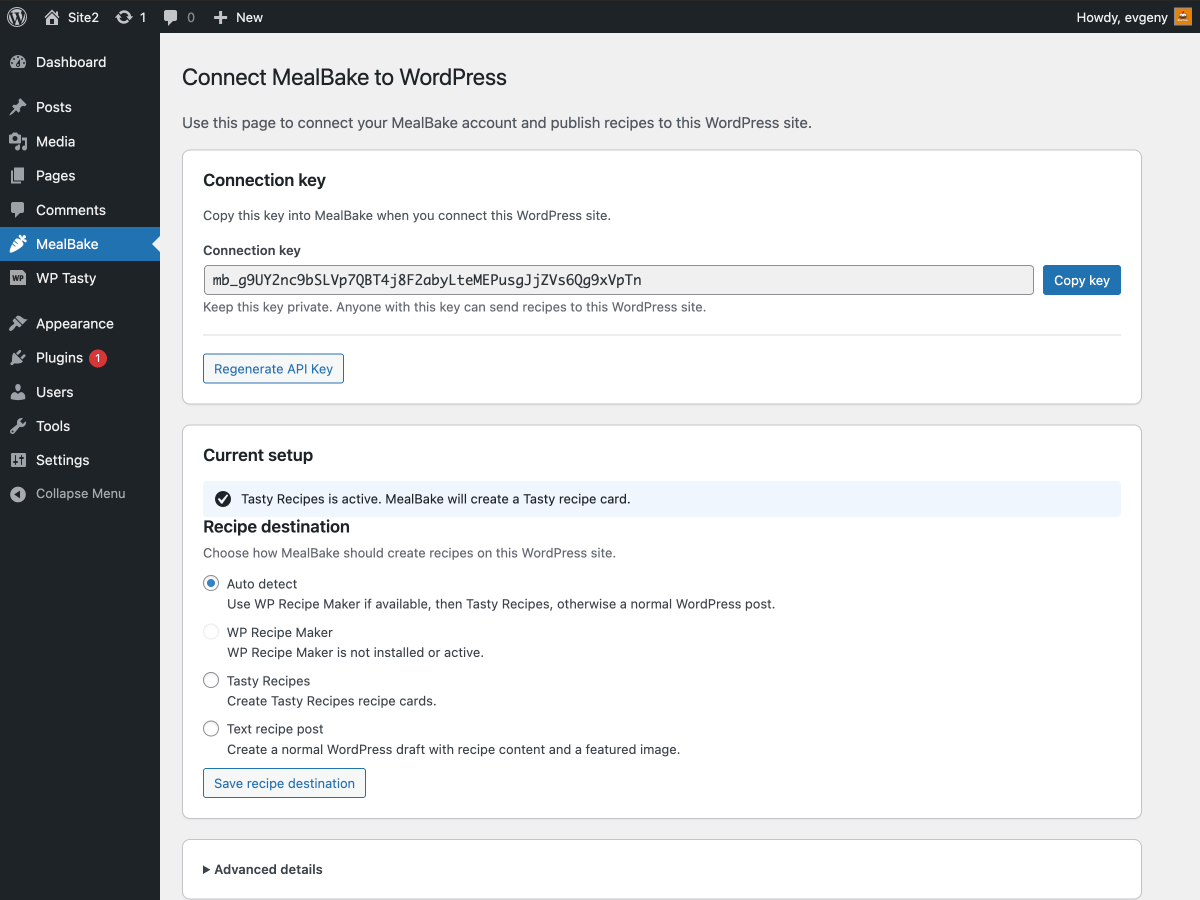
Open the MealBake settings page in WordPress admin after activation.

MealBake plugin settings showing Tasty Recipes detected on a WordPress site.
3

Copy your connection key

The key lets MealBake send recipes to your site. Keep it private, just like an API key.

MealBake WordPress plugin settings page showing the connection key.
4

Push to WordPress

In MealBake, open a recipe, choose Push to WordPress, and send the draft to your site.

MealBake recipe actions menu with the Push to WordPress command.

Works with the tools food bloggers already use

MealBake is designed for WordPress recipe publishing workflows, including dedicated recipe plugins and normal WordPress draft posts.

WordPress
WP Recipe Maker
Tasty Recipes

Ready to publish recipes to your WordPress blog faster?

Connect MealBake to your site and turn finished recipe drafts into WordPress drafts without repetitive copy-and-paste work.